Revision History:
| Revision Date | Version | Revised by | Remarks |
| June 20 | 0 | Veronica Acepcion | Article creation |
A Reversal is a request to return funds from an electronic transaction that went through successfully but contains a mistake—such as an incorrect Account Number or a wrong Biller.
Jr. Customer Support Associate (Jr.CSA) is responsible to get the information to the customer (EU), ensuring Magic 8 is present before proceeding to Initial Investigation. Jr. CSA must also gather the correct number and the required support documents.
Once the details are complete, Jr.CSA shall check the system logs using the Dashboard, including MySukli, Top-Ups as part of the initial investigation.
Tools needed:
- Freshdesk (EFD)
- ETAPSOL Dashboard
Flow of Initial Invest
*ETAPSOL Dashboard > MySukli > Transaction Logs
Reference: List of Billers with Reversal
STEP 1: GATHERING INFORMATION
1. Check all Transaction details and concern scenarios from the customer (EU), gathered by Fchat agent. Magic 8 must be present before proceeding.
STEP 2: CHECKING OF MYSUKLI LOGS
Using the mobile source or customer’s provided mobile number, check Search in MySukli Module on the Dashboard. Use 639-format of mobile number when searching to verify if the customer has an existing MySukli Account or if the involved transaction is in MySukli Logs.
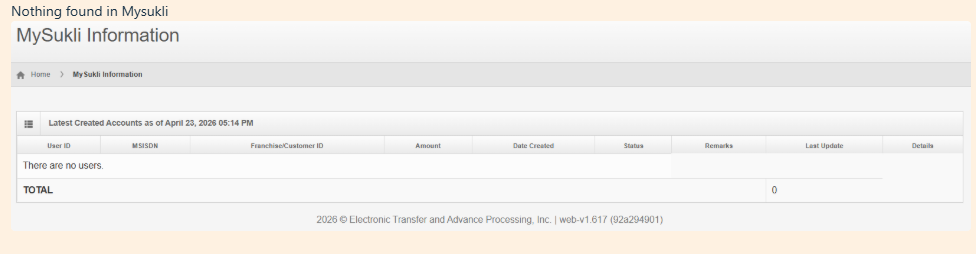
REFERENCE: FAQ | How to Check MySukli Account History
STEP 3: CHECKING BILLS AND PAYMENTS LOGS
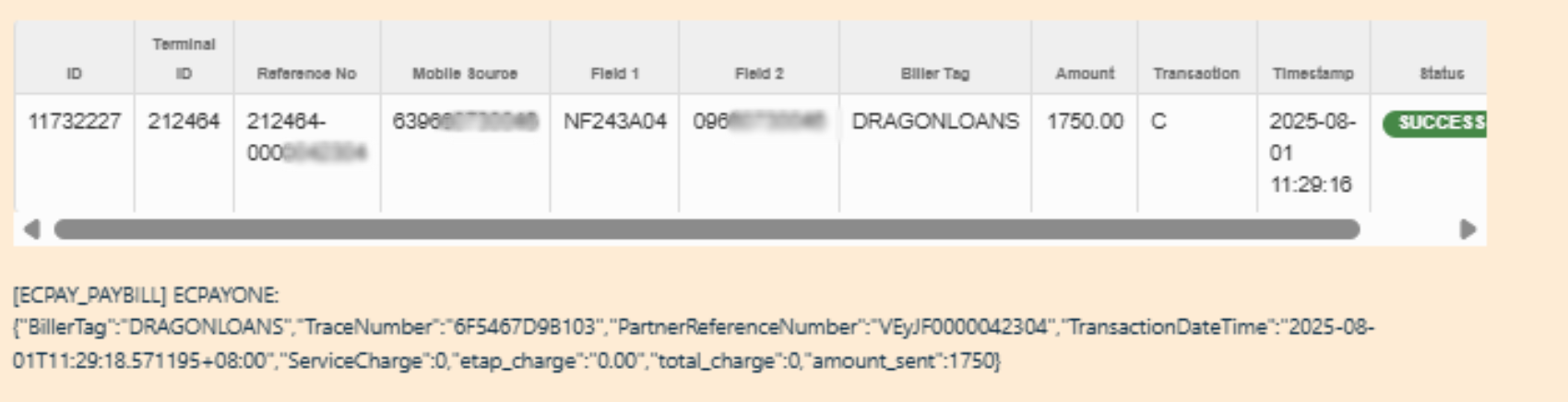
Using the mobile source, check the Transaction logs under the identified Transaction Type. Using the provided Ref# verify the involved transaction.
(Note: Make sure to check the biller it should be GCASH)
REFERENCE: FAQ | How to Check Bills Payment Record
Get the log of the involved transaction, then copy and paste as an add note in the ticket including the Status Message.
STEP 4: ESCALATION
After identifying the involved transaction, including the necessary details then proceed on creating a child ticket in freshdesk.
Sample note:
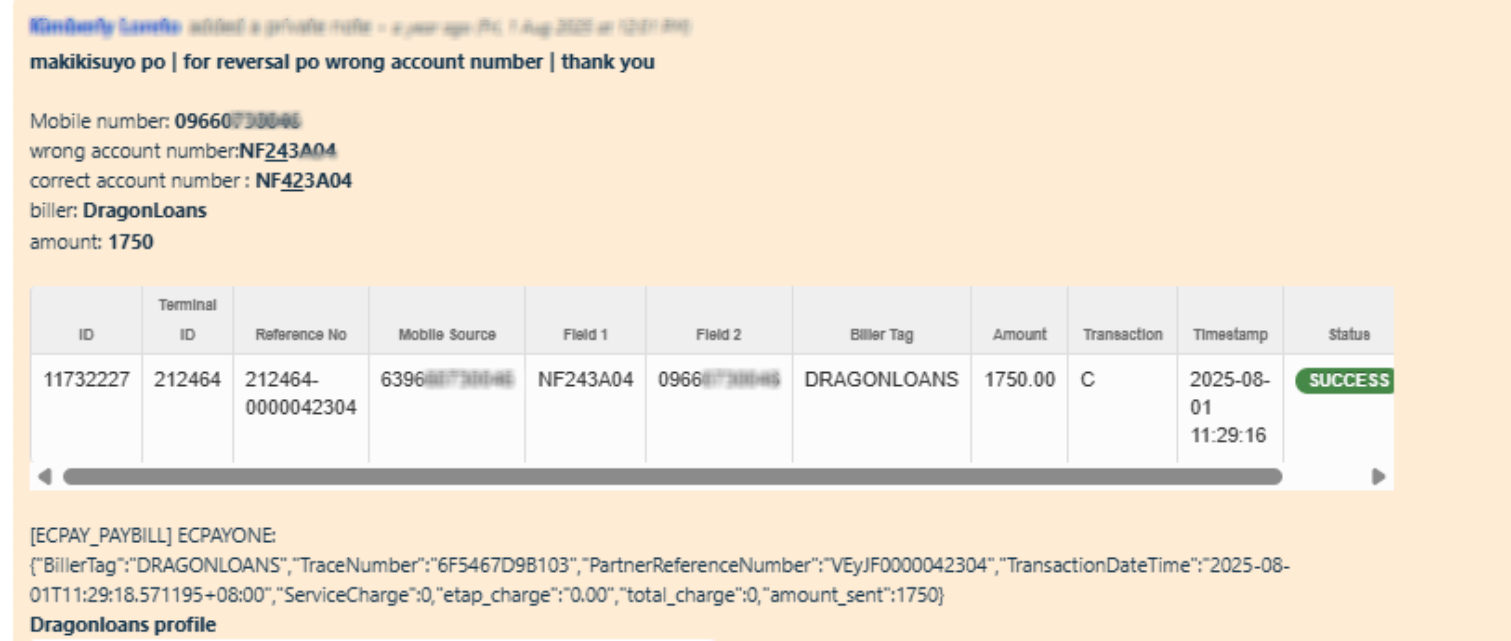
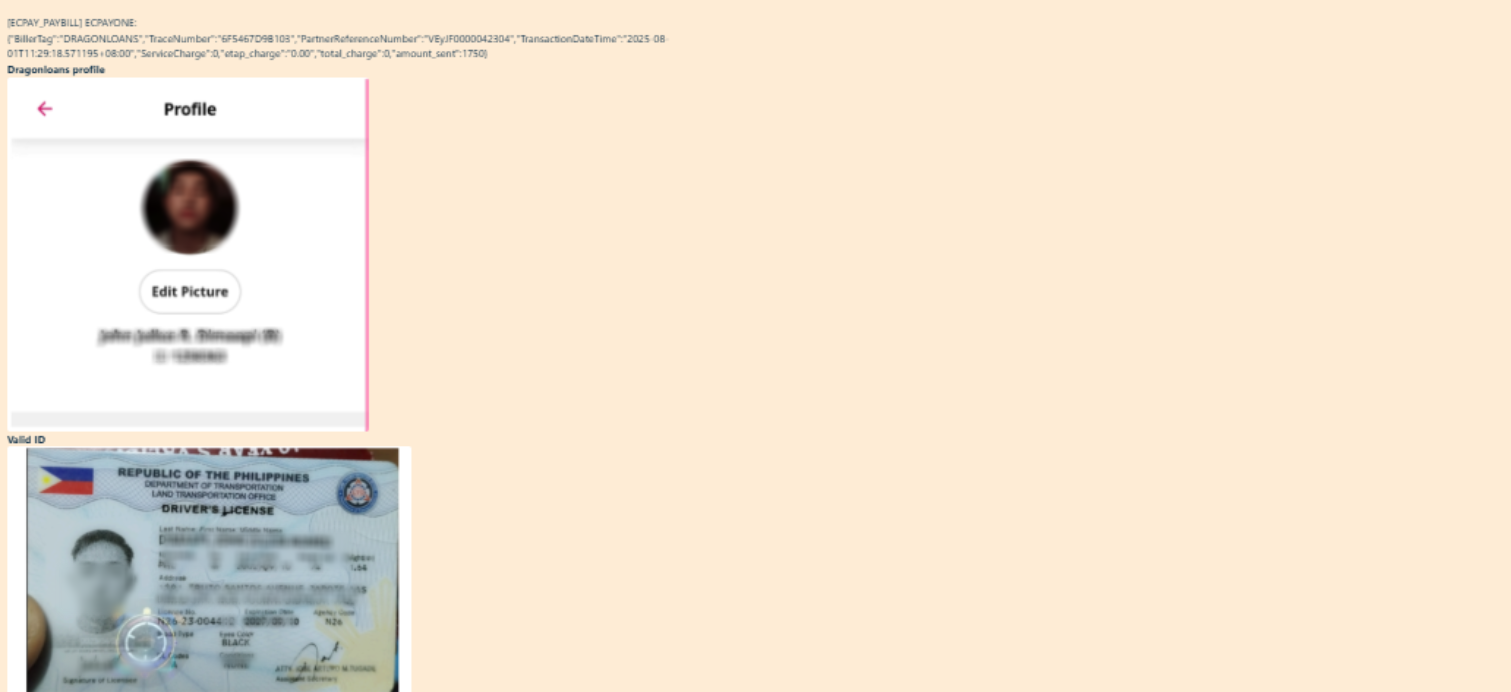
Escalation template:
Pasuyo po for email Reversal ( concern if wrong account number or wrong biller) . Thank you
-Wrong mobile number:
-Correct mobile number:
-Amount:
<Insert Transaction logs including the Status Message>
Details for reprocess:
-Account number
-Biller
-Amount
-Billers profile
-Valid ID
Note: Once the concern has been escalated, inform the customer of the applicable SLA for the resolution of their concern.
STEP 5.Regularly monitor the ticket for the final status from the TSA. Once approved, wait for the child ticket notification containing the success logs. Finally, send the appropriate closing spiel to the End User (EU) via Freshdesk, ensuring you explicitly manage expectations by informing them that the turnaround time for bills and payment reversals takes 2 to 3 months.
My proposal is to closed the ticket while on reversal process- then gsheet for reversal tracker for bills and payments ? or pending status ? will confirm if affected SLA if 3 months pending
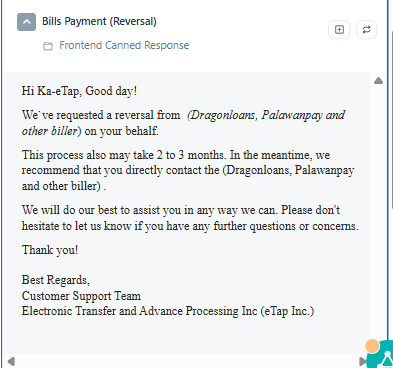
STEP 6. Once the transaction has been confirmed as successful on the biller’s end and can no longer be refunded to the customer’s account, send the appropriate closing spiel to the customer (EU). The appropriate spiel can be found in the canned responses. 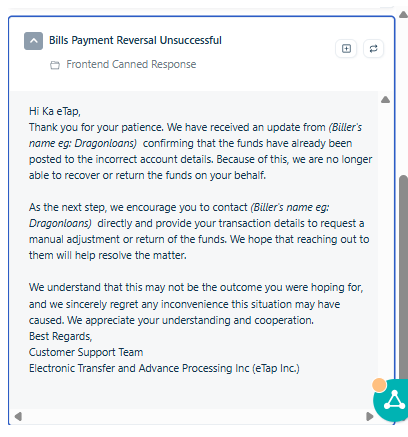
Note: If the customer asks to seek further clarification, provide the biller's contact details and direct them to Biller's official support channels.
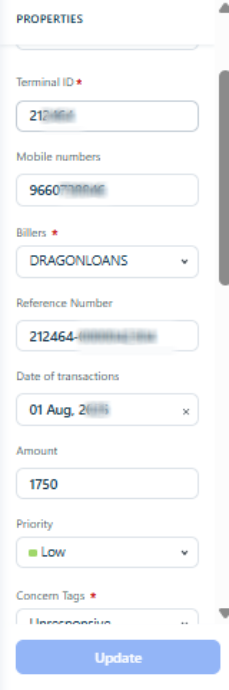
STEP 7. Prior to closing the ticket, the agent shall ensure that all required properties are correctly filled out and that no mandatory fields are left blank.